


How to Apply to Nexford University
Choose your program, register with your email, add your education history, upload your ID, and pay the $25 fee. About 15 minutes, and you'll hear back within days.
BEFORE YOU START
Have these ready and it's one sitting
No essays, no recommendation letters, no entrance exams — just these.

Every update lands here, including the decision. It's also how you save your progress and come back — we send a code.

Government-issued, valid, in English, showing your full legal name and date of birth. Plus a passport-style photo — it becomes your learner ID.

Upload what you have. Not in English? Send it anyway — we translate it at no charge. It may add a little review time.
Steps to apply · Degree programs
Open any step to see exactly what it asks for and what to have ready. No surprises once you start.
Create your account
Your name, email, phone and city
You'll be asked for
- First name
- Last name
- Phone number (with country code)
- City/locality you live in
- Choose Register to start
- Signing in with Google? It prefills your name and email and skips email verification.
- Tick the box to accept the Terms and Conditions and Privacy Policy
- Already started? Choose Login and pick up where you left off

Choose your program
Program type, the degree you want, and an optional specialization.
You'll be asked for
- Program type
- Program of interest
- Specialization (optional)
- Choose Degree, then the program you want to apply for
- Add a specialization if your program offers one — you can change it later
- Tell us if you've already applied for a Nexford scholarship, or want to apply for one now
- Select Register now
Verify your email
A six-digit code will be sent to your inbox. Signed in with Google? Skip this step!
- Enter the six-digit code we send to your email
- Select Verify — you're in
Your background
Your education, a few personal details and your address.
Education
- Highest completed education level
- Institution
- Institution country
- Degree name
- Graduation year
- Transcript or diploma (optional)
- Don't have your transcript or diploma yet? Upload it later
- Official documents can be submitted up to 90 days after your class start date
- Tick Finish faster and pay less to see how much of your prior learning could transfer toward your degree
- US military, veteran or eligible dependent? Tick VA education benefits
Personal details
- First name
- Last name
- Phone number
- Date of birth
- Gender
- Nationality
- Native English speaker
- LinkedIn profile URL (optional)
Address
- Street address
- City
- State/province (optional)
- Zip code/Post code
- Country
Verify your identity
Your government ID, your legal name and a passport-style photo.
Your ID must
- Show your photo, full name and date of birth
- Be currently valid, clear and readable
- Be a passport, national ID (in English), driver's license, state ID or military ID — front and back as separate files
- Not in English? Upload your passport instead
Your photo
- A clear, passport-style photo — face visible, no sunglasses, hats or filters. Upload one or take a selfie on the spot
- Enter your legal name exactly as it appears on your ID
- Select Save & continue — an automatic document check runs in a few seconds
- If anything can't be matched, a member of our team reviews it manually. Nothing is rejected automatically
Pay the fee and submit
A one-time application fee, then your application is in.
You'll be asked for
- Discount code (optional)
- Payment option
- Card number
- Expiry date
- CVV
- Billing information
- The fee is $25, one time only — it covers your application review, eligibility check and decision
-
Pay by debit or credit card, Google Pay, Apple Pay, or PayPal, or choose sponsor payment, bank transfer, or a regional option where available
- Have a discount code? Add it before you pay
- Select Make payment & apply
Application review
You've applied. Here's exactly what happens next.
What happens next
- Paid the application fee? Your payment receipt lands in your inbox
- Applied for a scholarship? You'll complete that short step right after payment
- Our team reviews your application and confirms your eligibility
- You hear back within 24 to 48 hours — most applicants the same day
- Your decision arrives by email: an invitation to enroll, or a note that your application wasn’t approved this time
-
Accepted? Choose your start date — programs begin on the 1st of every month
Nothing from us within 48 hours? Check Spam or Junk and mark it “Not Spam” so your decision reaches your inbox. Please contact us if you've not received a decision within 48 hours.
You're one application away
Apply in about 15 minutes. Decision in 24 to 48 hours. Start on the 1st of any month. That’s a year of career momentum traditional universities make you sit out — skills you learn on Monday, you apply at work on Tuesday.
Want a hand first? Talk to an Application Specialist
- 92% of alumni are employed right now Alumni Outcomes Survey 2026
- 64% of alumni now sit at manager level or above Alumni Outcomes Survey 2026
- 82% were promoted or given expanded responsibility Alumni Outcomes Survey 2026
Undergraduate and graduate courses follow the same flow with fewer stops — no education history or ID upload at this stage.

Select Program, then the Courses path, then the course that suits you.

Same code process. Save and resume works the same way.

Name, year of birth, town, phone, nationality, gender, English-speaker status, how you heard about us, T&Cs.

Pay your fee by card or a regional option. A decision follows within a few days.
WHAT YOU WALK AWAY WITH
Finish the course, earn the certificate
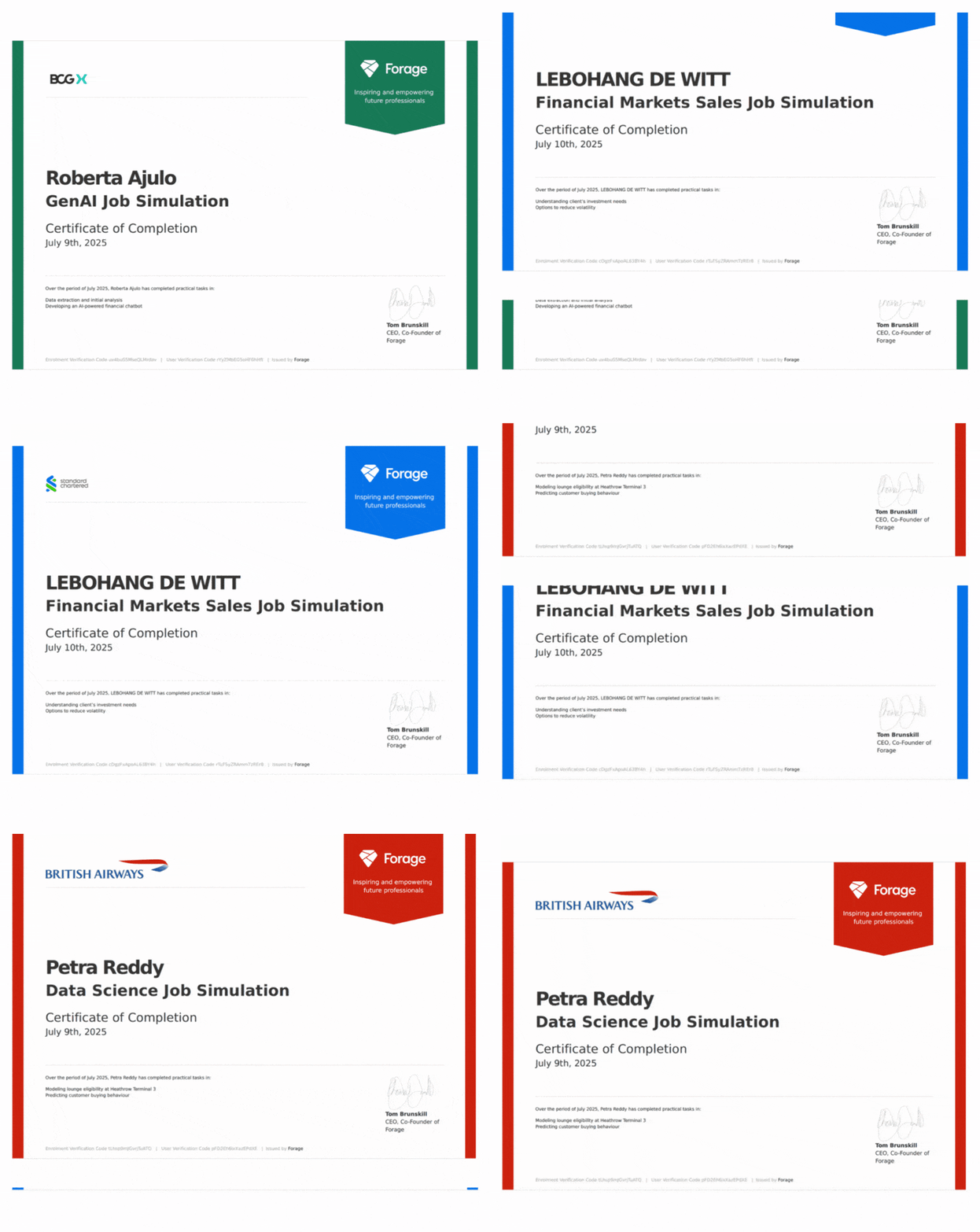
Every course ends in a Nexford certificate — earned at an accredited university, assessed like degree coursework, ready to share on LinkedIn.
 Issued digitally the moment you finish
Counts toward a Nexford degree if you apply later
Stack courses into a certificate program at your own pace
WHAT YOU WALK AWAY WITH
Finish the course, earn the certificate
Every course ends in a Nexford certificate — earned at an accredited university, assessed like degree coursework, ready to share on LinkedIn.
Issued digitally the moment you finish
Counts toward a Nexford degree if you apply later
Stack courses into a certificate program at your own pace
ALREADY HAVE CREDITS?
Two ways to get there faster — and for less
Prior coursework, a certificate, or a completed program can shorten your Nexford degree and cut what you pay for it. Upto 75% credits transferable toward your Bachelor's or Associate degree Upto 60% credits transferable toward your Master's No transfer credit review fee
Degree accelerators
Complete approved partner courses before or during your Nexford program. ACE-recommended credit that transfers directly into your degree, at a fraction of standard tuition.
See what transfers →
Academic pathways
Start at Nexford and finish at a partner university, or start with a partner and transfer in. Either way, credit and admissions are already arranged.



Enroll · Five steps
From acceptance to your first course
Your offer is in. Enrollment is where you lock in a start date and make it official. Most people finish in one sitting.
Your invitation lands
An email from Admissions with your link to enroll.
- Once Admissions approves your application, an invitation to enroll goes to your registered email
- Click the link, or go to applynxu.nexford.edu
- Enter the same email — a verification code opens your enrollment
Choose your start date
The 1st of any month, up to three months out.
- Check the program title at the top of the page is the one you applied for
- Pick your start date — programs begin on the 1st of every month, and the latest you can start is four months from your enrollment month (enroll in February, start by June 1)
- Orientation opens five days before your program starts
- Have a tuition fee coupon code? Enter it here — your total updates on screen
- Select Next to review your enrollment agreement
Wrong program showing? Stop and contact help@nexford.edu before going further.
Review and sign your enrollment agreement
Read it, then sign by typing your full legal name.
The agreement covers
- Your information and your program's courses
- Tuition payment
- Your rights and responsibilities as a learner
To sign
- Type your full legal name exactly as it's displayed on the left, then select Sign
- If you don't agree, we can't process your enrollment further — questions go to help@nexford.edu
Name shown isn't your full legal name as on your government-issued ID? Contact admissions@nexford.org before signing.
Pay your tuition
Same options as your application fee.
- Cards: Visa, Visa Debit, Delta or Mastercard — US or international
- By region: Flywire, Flutterwave, PayPal or bank transfer
- Check your details and select Pay now
Paying by card, you'll enter
- Name as it appears on the card
- Email used on your application
- Billing address, city, post/zip code
- Card number
- Expiry date
- CVV
Payment not going through? Try another method, or contact billings@nexford.org or WhatsApp.
You're enrolled
Welcome to Nexford. Here's what happens before day one.
- You're now part of a community of learners from 110+ countries
- Orientation opens five days before your start date — meet your cohort and find your way around the learning platform
- Your first course opens on your start date
Plans changed? Log back in to the enrollment portal and pick a new start date. No emails required.
WHEN CAN I START?
Getting in shouldn’t be the hard part

could start

could enroll

Want to
start later?
 You're never on your own - your Application Specialist is available throughout the process.